
 village
raspberry_stimulus_menu.py
No controller: a demo of the screen stimuli, not a training task. Every trial shows a menu of rectangles on the touchscreen; touching one shows a different stimulus for a few seconds. The touches are reacted to in touch_trigger.py.
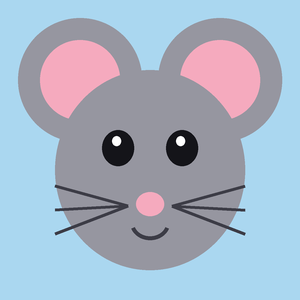
The image, the image with alpha (transparent background) and the video come with the example project, in its media folder:
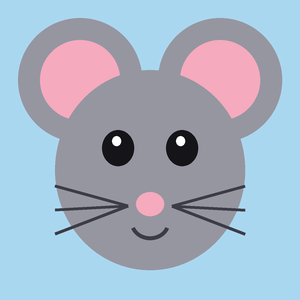

image.png, image_alpha.png, video.mp4 (5 seconds of Conway’s Game of Life, with a short melody).

Download raspberry_stimulus_menu.py
import threading
import time
from pathlib import Path

from village.custom_classes.task_base import TaskBase
from village.devices.screen import screen
from village.scripts.time_utils import time_utils
from village.settings import settings

TRIAL_TIMEOUT = 60  # seconds to wait for a touch
RECT_WIDTH = 150
RECT_HEIGHT = 150
RECT_Y = 200
RECT_GAP = 40  # horizontal gap between rectangles
STIMULUS_SIZE = 300  # size of the circle (function8), to center it

# The stimuli of the menu: (direct function, name, media file attribute). The
# ones that show a media file are only offered if that file is in the media
# folder (MEDIA_DIRECTORY).
STIMULI = [
    (8, "circle", None),
    (10, "moving_circle", None),
    (11, "triangle", None),
    (12, "image", "image_file"),
    (13, "image_alpha", "image_file2"),
    (14, "video", "video_file"),
]


class RaspberryStimulusMenu(TaskBase):
    """No Bpod, no Arduino (BEHAVIOR_CONTROLLER = OTHER): a demo of the
    stimuli of video_functions.py, not a training task. Every trial shows a
    menu of rectangles side by side on the touchscreen (function18, "Show
    Touchscreen Menu" in direct_functions.py). Touching one of them shows a
    different stimulus (direct functions 8 and 10-14) for stimulus_duration
    seconds, and then the trial ends. touch_trigger.py only reports which
    rectangle was touched; the task shows the stimulus.

    The image, image with alpha and video stimuli show the files image.png,
    image_alpha.png and video.mp4 of the media folder (image_file,
    image_file2 and video_file below), which come with the example project.
    If one of them is missing, its stimulus is left out of the menu.

    Required setup (in SETTINGS, not in this file):
    - USE_SCREEN must be TOUCHSCREEN, with the touchscreen configured (see
      the Screen & Touchscreen docs).
    """

    def __init__(self):
        super().__init__()

        self.info = f"""
        Stimulus Menu Task
        ----------------------------------------------------------------
        No controller involved -- a demo of the screen stimuli. Each trial:
        - A menu of rectangles is shown side by side; touching one shows a
          different stimulus for a few seconds, and the trial ends.
        - Otherwise, the trial ends anyway after {TRIAL_TIMEOUT} seconds.
        The image, the image with alpha and the video are the files of the
        media folder of the example project.
        """

        # Read by the direct functions of the stimuli (self.task.<name>)
        self.stimulus_duration = 3.0  # seconds
        self.stimulus_x_pos = 0
        self.stimulus_y_pos = 0
        self.image_file = "image.png"
        self.image_file2 = "image_alpha.png"
        self.video_file = "video.mp4"
        self.volume_gain = 0.1

        # Read by touch_trigger.py, which can be called before start() ends:
        # created here so they always exist.
        self.rects: list[tuple[int, int, int, int]] = []
        self.touch_event = threading.Event()
        self.touched_index: int | None = None

    def start(self):
        """Chooses the stimuli available, lays out one rectangle per
        stimulus evenly across the screen width, and centers the
        stimuli."""

        media_directory = Path(settings.get("MEDIA_DIRECTORY"))
        self.stimuli = [
            (function_id, name)
            for function_id, name, file_attribute in STIMULI
            if file_attribute is None
            or (media_directory / getattr(self, file_attribute)).exists()
        ]

        n = len(self.stimuli)
        total_width = n * RECT_WIDTH + (n - 1) * RECT_GAP
        start_x = (screen.width_px - total_width) // 2
        self.rects = [
            (start_x + i * (RECT_WIDTH + RECT_GAP), RECT_Y, RECT_WIDTH, RECT_HEIGHT)
            for i in range(n)
        ]

        self.stimulus_x_pos = (screen.width_px - STIMULUS_SIZE) // 2
        self.stimulus_y_pos = (screen.height_px - STIMULUS_SIZE) // 2

    def create_trial(self):
        """Shows the menu and waits for touch_trigger.py to report a touch,
        or for TRIAL_TIMEOUT seconds to pass. After a touch, shows the
        stimulus of that rectangle for stimulus_duration seconds."""

        self.touched_index = None
        self.touch_event.clear()
        self.execute_function(18)  # "Show Touchscreen Menu"

        t0 = time_utils.now_timestamp()
        self.register_start_trial(raspberry_timestamp=t0, controller_timestamp=t0)

        deadline = t0 + TRIAL_TIMEOUT
        while not self.should_stop and time_utils.now_timestamp() < deadline:
            if self.touch_event.wait(timeout=0.05):
                break

        if self.touched_index is not None:
            function_id, _ = self.stimuli[self.touched_index]
            self.execute_function(function_id)  # loads the stimulus
            self.execute_function(15)  # "Start Drawing"
            end = time_utils.now_timestamp() + self.stimulus_duration
            while not self.should_stop and time_utils.now_timestamp() < end:
                time.sleep(0.05)

        self.register_end_trial(time_utils.now_timestamp())

    def after_trial(self):
        if self.touched_index is None:
            self.register_value("stimulus", "none")
        else:
            self.register_value("stimulus", self.stimuli[self.touched_index][1])
        self.register_value("water", 0)

    def close(self):
        self.execute_function(16)  # "Stop Drawing"